
Blog
Meeting Recap: What It Is and How to Write One
 Resalt Published Updated
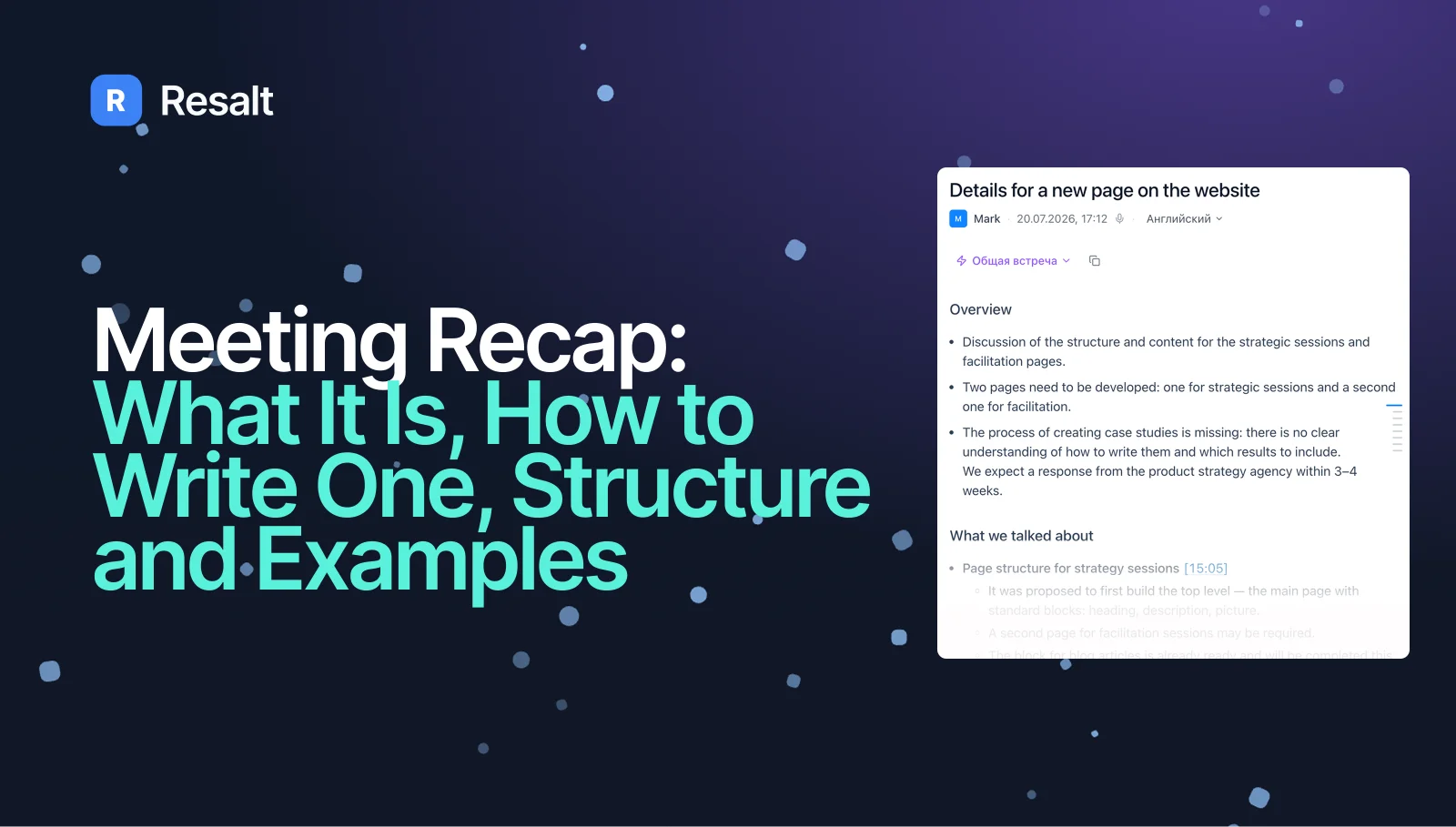
After an hour-long meeting, someone has to summarize what was agreed. Too often this turns into another forty minutes: recalling who promised what, collecting tasks, sending them out. A meeting recap solves this: a short text with the key outcomes that takes two minutes to read instead of a second call.
This article explains what a meeting recap is in plain words, how it differs from minutes and a summary, and which blocks go into its structure. You will get a step-by-step guide, a template and a worked example, and at the end we show how to generate recaps automatically.
Meeting Recap in Plain Words
A summary is a short distillation of the essentials from a text, a meeting or a video. Think of retelling a two-hour movie in a minute: only the ending and the key turns, no scene-by-scene replay. A meeting recap does the same for work — a brief text answering three questions: what was discussed, what was decided, and who does what next.
A simple example. A meeting ran for an hour: the team discussed a new pricing tier, argued about the price and agreed to show the draft to a lawyer. The recap fits into five sentences: agenda in one line, one decision, one task with an owner and a deadline. Anything that does not affect next steps stays out of the recap.
The core principle: a recap records outcomes, not the flow of discussion. Who said what, which arguments came up, which detours the talk took — that context lives in the recording and the notes. A recap answers only one question: what now? That is why it is easy to read for people who missed the meeting and for those who forgot the details a month later.
Recap vs Summary vs Minutes: What Is the Difference
These formats are often mixed up, although each has its own job.
| Criterion | Recap | Summary | Minutes |
|---|---|---|---|
| Length | 5–7 sentences, half a page | One to two pages | Structured document |
| What it records | Essence, decisions, tasks | Outcomes plus discussion context | Decisions, tasks, owners, deadlines |
| Who receives it | Attendees and management | Team and stakeholders | Attendees, archive, signatories |
| When it fits | Any working meeting | Important meetings with context | Formal and legally significant meetings |
A practical rule: if a meeting ends with tasks, a recap is enough for day-to-day work. When agreements need strict documentation, for example in negotiations with contractors, the recap is complemented by minutes. For more on the formal document, see the article about meeting minutes: structure, types and a template.
Who Needs a Meeting Recap and Why
The format is universal, but three roles get the most from it: managers and project managers, sales teams and recruiters. Each has its own reason.
Managers and project managers. In meetings they make decisions but have no time to write them down. A recap restores control after the meeting: which decisions were made, who is responsible, what the deadlines are, with no need to take notes during the discussion. For a manager, a recap works as a filter: two minutes of reading instead of an hour of a call or an employee’s retelling.
Sales teams. In client meetings, the essentials come at the end: budget, deadlines, the next step. A recap fixes these agreements, so the manager sees the client’s request clearly and can act on it, instead of coming back a week later asking “did I hear you correctly?”. If another colleague takes over the deal, the recap passes on the context without losses: what pains the client has, what was promised, when the next contact happens.
Recruiters and HR. After an interview, a recap helps compare candidates against the same criteria: salary expectations, experience, concerns, the next stage. A month later, short recaps reconstruct the picture faster than memory or long notes.
The Structure of a Meeting Recap
The structure of a recap repeats from meeting to meeting, so it pays to turn it into a template once. There are five standard blocks.
- Header. Meeting name, date, attendees. One line is enough: “Sales team standup, October 12: Anton, Marina, Sergey”.
- Essence. What was discussed, in two or three sentences. No details or quotes, just the frame: which question was discussed and why it matters.
- Decisions. What the team agreed to do. Each decision is phrased so it can be verified: not “work on the launch” but “the tier goes live on October 20”.
- Tasks. Three components are mandatory: what to do, who owns it, by when. An item without an owner and a deadline remains a wish, not a task.
- Next step. Date of the next meeting or a checkpoint. This block closes the main risk of a recap: outcomes were sent, but nobody and nothing checks execution.
Short meetings need only the header, decisions and tasks. The essence and next-step blocks are added when the meeting matters more than a routine status: a launch, negotiations, an interview.
How to Write a Meeting Recap: Step by Step
A manual recap takes 15–20 minutes if you follow the order.
- Fix your source. A recording, notes or at least the meeting agenda. A recap is written from a source, not from memory: a day later, memory invents details.
- List the decisions. Go through the recording and write down every agreement. Test question: will anyone’s work change because of this item? If not, it is a discussion, not a decision.
- Collect the tasks. Add an owner and a deadline to every decision. If the owner was not named explicitly, state the assumption separately and confirm it with attendees.
- Compress the essence. One or two sentences about what was discussed and why. Write this block last, when the outcomes are already visible.
- Check with attendees. Send the recap to the team chat and ask people to confirm or correct it. One round of review removes the risk of different interpretations.
- Send and store. Team chat, email, task tracker. A recap hidden in personal notes works for one person only.
Meeting Recap Template
The template below can be copied into a team document and filled in after every meeting. It is a base example: extend it for your meeting type by adding or removing blocks.
| Block | What to write | Filled example |
|---|---|---|
| Name and date | One line | Sales team standup, October 12, 2026 |
| Attendees | Names or roles | Anton, Marina, Sergey |
| Essence | 1–2 sentences | Preparing the Pro tier launch, discussed price and deadlines |
| Decisions | Verifiable statements | Tier goes live on October 20; page draft goes to the lawyer by October 8 |
| Tasks | What, who, by when | Marina drafts the page by October 8; Sergey updates pricing by October 15 |
| Next step | Checkpoint | Status check at the October 16 standup |
Meeting Recap Example
Here is how the template turns into a finished text. The first example is an internal team meeting.
Recap: product standup, October 12, 2026 Attendees: Anton, Marina, Sergey. Essence: preparing the launch of the Pro tier. Discussed price, limits and the launch sequence. The debate was about the price floor: Sergey suggested ₽1,900, the final figure is ₽2,500. Decisions: the tier goes live on October 20. Marina shows the page draft to the lawyer by October 8. At launch, billing is monthly only, no annual plans. Tasks: Marina — page draft by October 8. Sergey — updated pricing on the site by October 15. Anton — client email copy by October 18. Next step: launch status check at the October 16 standup.
Notice three things. The price debate is compressed to one line because only the outcome matters. Every task has an owner and a date. A checkpoint is set even for a regular meeting: it keeps tasks from dissolving.
The second example is a short recap of a client call:
Recap: call with client “Alpha Logistics”, October 10, 2026 Attendees: Anton, the client’s director of operations. Essence: the client is evaluating Resalt for recording the sales team’s meetings, 12 managers. Decisions: data protection matters to the client, including access controls. We send the security documentation package by October 14. A pilot with three managers starts after the client reviews the documents. Tasks: Anton — security documents by October 14. Client — a list of questions from their IT department by October 17. Next step: call on October 18 to review the pilot.
For client meetings, the base blocks are extended with the client’s expectations and obligations of both sides: such agreements are harder to dispute later.
Five Common Mistakes in Meeting Recaps
1. Retelling instead of outcomes. “Marina walked through the metrics, Sergey suggested a discount” is the course of the meeting, not its outcome. Fix: every item passes the test “what will change in our work?”.
2. No owners. A task like “update pricing” with no name attached belongs to no one. A week later, each attendee assumes someone else owns it.
3. No deadlines. “Do it soon” does not work. The phrase “by October 15” puts the task on a calendar and therefore on the radar.
4. A three-page recap. Length kills the format: if a text takes ten minutes to read, people stop reading it. The optimum for an operational recap is half a page. Whatever does not fit goes to an appendix with the recording.
5. Send and forget. A recap without confirmation from attendees records the author’s opinion, not the agreements. A five-minute review in the chat removes half of future disputes.
How to Generate a Meeting Recap Automatically with AI
Writing recaps manually takes 15–20 minutes per meeting, and they still need to be stored somewhere. AI removes both steps: the service records the meeting, turns speech into text and builds a recap from the transcript within minutes after the meeting ends.
The flow is the same across services of this class:
- A bot joins the meeting by link or records it from the calendar.
- Speech is recognized and turned into a transcript with speaker separation.
- The model extracts the essence, decisions and tasks and formats them into a recap.
How to Get a Recap of a Recorded Video Meeting
The query “video recap” usually means exactly this: getting the outcomes of a recorded call. There are two working ways. First, connect a bot to the meeting, and the recap is ready right after it ends. Second, upload an existing video or audio file of the meeting: the service recognizes the speech and builds the recap from the recording. The second way suits meetings that already happened: negotiations, interviews, recorded lectures.
When choosing a service for AI recaps, check four things: quality of transcription (names and terms are recognized with errors, which affects the accuracy of outcomes), the ability to edit the text, extraction of tasks with owners and deadlines, and export of the recap into formats that are easy to share.
Resalt builds recaps along this flow: a bot records meetings in Zoom, Google Meet and Microsoft Teams or by a direct link, and also accepts uploaded files. After the meeting the user gets a transcript and a structured recap: essence, decisions, tasks. Both the recap and the transcript can be edited manually; edits are picked up by search and the meeting chat, and outcomes export to text formats and Markdown. For teams that care about data protection, AES-256 encryption and Russian Federal Law 152-FZ compliance are stated, alongside GDPR for international teams. For details on getting text from meetings, see the article on how to transcribe audio.
What a Deep Recap Looks Like
A standard recap answers the question “what did we agree on”. A deep recap, which Resalt builds from the meeting template, adds a management layer: discussions are grouped by topic and tied to timestamps of the recording, decisions are separated from discussions, and open questions, risks and tasks with owners are recorded in their own blocks. The text is workable: edit wording, assign owners, jump from any item to the matching fragment of the recording by its timestamp.
The example below is adapted and shortened, with the details changed:
Recap: pricing tier launch planning, October 14, 2026 Essence. Aligned the launch date of the new pricing tier and the preparation order: landing page, customer email, support playbook. The price debate is closed, the final figure is locked. Key discussions: — Positioning [04:12]: focus on teams of three and up; solo users are out of scope for this launch. — Price and limits [09:40]: the 2,100 ₽ floor was rejected, the final price is 2,500 ₽; unlimited recording only via the bot. — Support at launch [17:05]: an on-call rotation covers the first two weeks. Decisions: — Launch on October 20, monthly billing only, no annual plans [12:20]. — Legal reviews the landing page by October 18 [15:47]. Tasks: landing page draft — Marina, October 16. Pricing on the website — Sergey, October 17. Support playbook — Irina, October 19. Open questions: annual billing discount — revisit after the first sales [21:30]. Risks: legal is loaded with another project, the page review may slip.
The difference from the short template recap is easy to see: every discussion is tied to a minute of the recording, open questions and risks do not drown in the general text, and tasks are distributed across owners with dates right away. If a wording is disputed a month later, “who said that and in what context” is settled by jumping to the timestamp, without re-reading the whole recording.
This example is adapted: a real recap has more blocks, filled in as the meeting runs. The depth of the outcomes can be checked on your own meetings for free — signing up takes a couple of minutes, and the very first meeting will show what this text looks like on live material.
What to Do with a Recap After the Meeting
A recap only works if it reaches people and stays accessible.
Send it right after the meeting while the agreements are fresh. The best channels: the team chat, an email to attendees, the task tracker. The request “please confirm or correct” turns the mailing into a review and removes misreadings.
Store the recap in a shared place: a team folder, a knowledge base, a CRM. A month later the recap works as documentation: a new employee reads the outcomes of past meetings instead of retellings, a manager recalls deal terms from text rather than memory. Modern meeting recording services make this archive searchable: you can find a meeting by a word from the discussion and open the fragment you need without reading every recap in a row.
Set a checkpoint. A decision without an execution check may never happen. The date of the next meeting or an intermediate check in the calendar closes this risk.
Bottom Line
A meeting recap is the shortest working format for outcomes: essence, decisions and tasks with owners and deadlines on half a page. It returns time to attendees, passes context to those who were absent, and becomes project documentation when stored in a shared place. You can write recaps manually in 15–20 minutes, or get them automatically: AI builds the recap from the meeting recording right after it ends.
If meetings pile up, manual work stops scaling: this is exactly where automation pays off first. You can try automatic recaps for free: recording, transcription and outcomes for your first meetings require no paid plan and no card.
Frequently asked questions
How is a meeting recap different from minutes?
A recap is a short text with the essence, decisions and tasks, half a page at most. Minutes are a formal document with a regulated structure: agenda, decisions, owners, deadlines, sometimes signatures. A recap fits working meetings; minutes are for strict documentation of agreements, such as negotiations with contractors. For day-to-day work a recap is usually enough.
How long should a meeting recap be?
Ideally five to seven sentences or half a page: an hour-long meeting compresses into two minutes of reading. If a recap grows beyond a page, it probably contains a retelling of the discussion. Keep the long context in the recording or an appendix, and leave only outcomes and tasks in the recap itself.
Who should write the recap after a meeting?
Usually the meeting host or a designated attendee. The main rule: one author per meeting, otherwise you end up with two different texts. A reliable alternative is an AI service that builds the recap from the transcript automatically: then the human only checks and sends it. For recurring meetings, fix the author role in team rules.
Can AI generate a meeting recap automatically?
Yes. The service records the meeting with a bot, converts speech to text and extracts the essence, decisions and tasks. The finished recap arrives a few minutes after the meeting ends. Quality depends on the clarity of the recording and the complexity of terminology: names and industry terms may be recognized with errors, so manual review and editable text matter.
What if attendees disagree with the recap?
Recaps are reviewed before distribution: the author sends a draft to the team chat and asks people to confirm or correct it. Disputed wording is changed in the text rather than debated in a thread. If changes are substantial, the updated recap is resent as final. When agreements have legal weight, it is complemented by signed minutes.
Where should a recap be sent after a meeting?
To the channel where the team lives: the team chat, email or a task tracker. The request to confirm the outcomes turns the mailing into a review. For storage, a team folder or knowledge base works best: a month later the recap serves as project documentation. Client recaps go to all parties on the day of the meeting.
What is a summary in plain words?
A summary is a short distillation of the essentials: the whole text, meeting or video compressed into a few sentences. Imagine retelling a two-hour movie in a minute — only the ending and the key turns, without walking through every scene. In a work setting, a meeting recap answers three questions: what was discussed, what was decided, and who does what next.